 Inkstead
Convert, sign and shrink files.
Right on your PC.
Inkstead converts more than 200 formats, and comes with the PDF and file tools you keep looking for online: merge and sign PDFs, black out private details, shrink photos and videos, edit photos in bulk, and more. It works offline and never uploads your files.
Every feature free for 14 days, then $19 once. For Windows 10 and 11 (64-bit), about a 140 MB download.
More than 200 formats
The right format, every time.
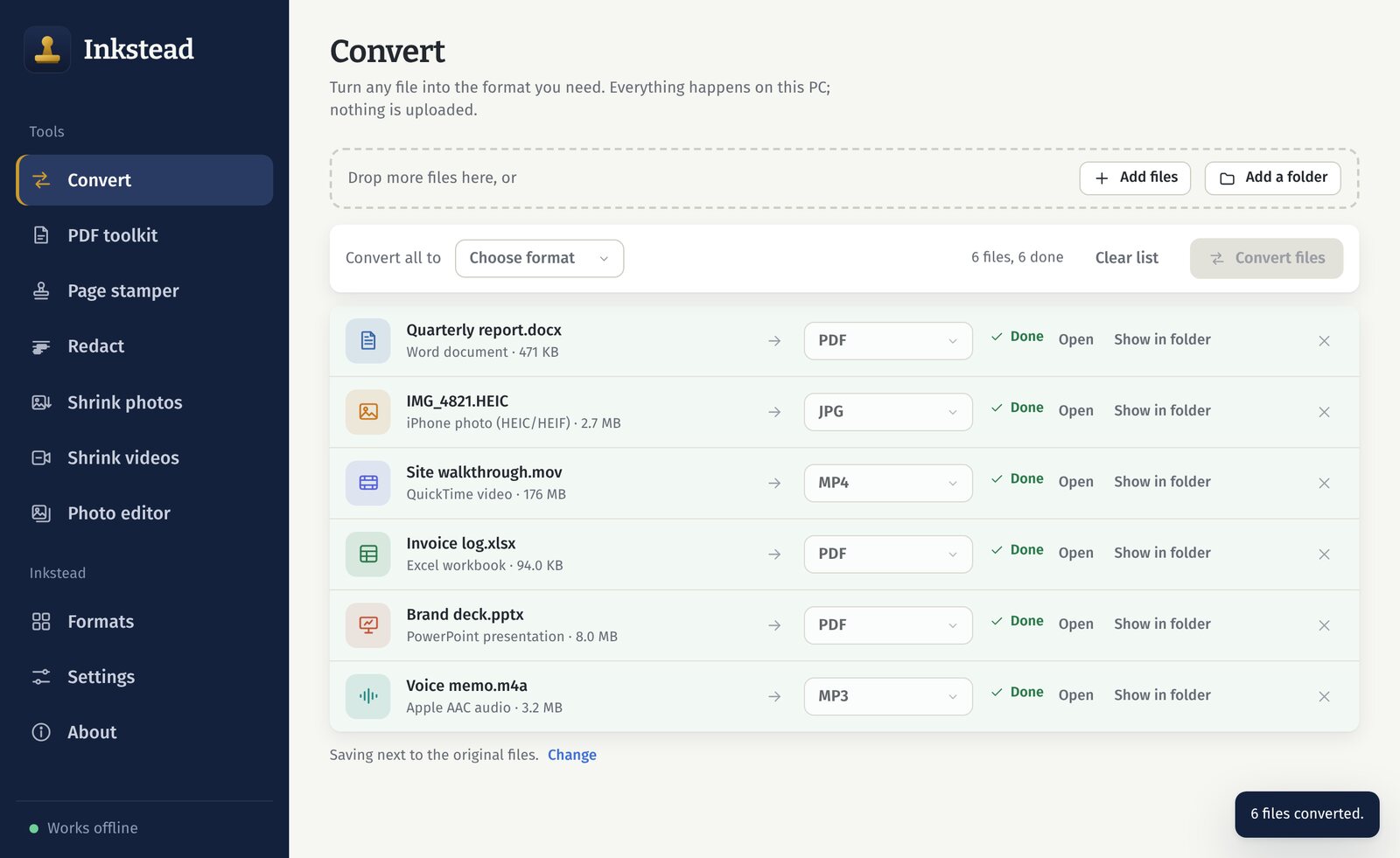
Drop in a file and Inkstead shows what it can become, with the usual choices first. Convert one file or a whole folder.
Documents
Word (DOCX, DOC), PDF, ODT, RTF, TXT, HTML, Markdown, and older formats like WordPerfect, Works and Pages
Spreadsheets
Excel (XLSX, XLS), ODS, CSV, TSV and Numbers
Slides
PowerPoint (PPTX, PPT), ODP and Keynote, to PDF or images
Photos and images
iPhone HEIC, JPG, PNG, WebP, GIF, TIFF, PSD, camera RAW, icons and SVG
Video
MP4, MOV, MKV, AVI, WebM, WMV and more, plus animated GIFs
Audio
MP3, WAV, M4A, AAC, FLAC, OGG, Opus, WMA, and the sound from any video
Ebooks
EPUB, FB2 and comic books (CBZ), plus Kindle formats with free Calibre
Archives
ZIP, 7Z and TAR, and opens RAR, ISO, CAB and more
Data, fonts and 3D
JSON, XML, YAML, TTF, OTF, WOFF, STL, OBJ, 3MF, GLB, subtitles and email files
Six tools, one app
The file jobs you'd normally do on a website.
Each tool works on one file or a whole folder at once. Your originals are never changed: Inkstead always saves new files next to them.
PDF toolkit
Merge, split, fill in, sign and compress PDFs.
Page stamper
Add a DRAFT or COPY stamp, page numbers, headers and Bates numbers to every page.
Redact
Black out names, emails, phone numbers and account numbers before you share a file.
Shrink photos
Make photos small enough to email, upload or post, or fit them under a size you pick.
Shrink videos
Make videos small enough to email or upload, or pick an exact size.
Photo editor
Resize, crop, compress and add your logo to hundreds of photos at once.
Sign a PDF in seconds
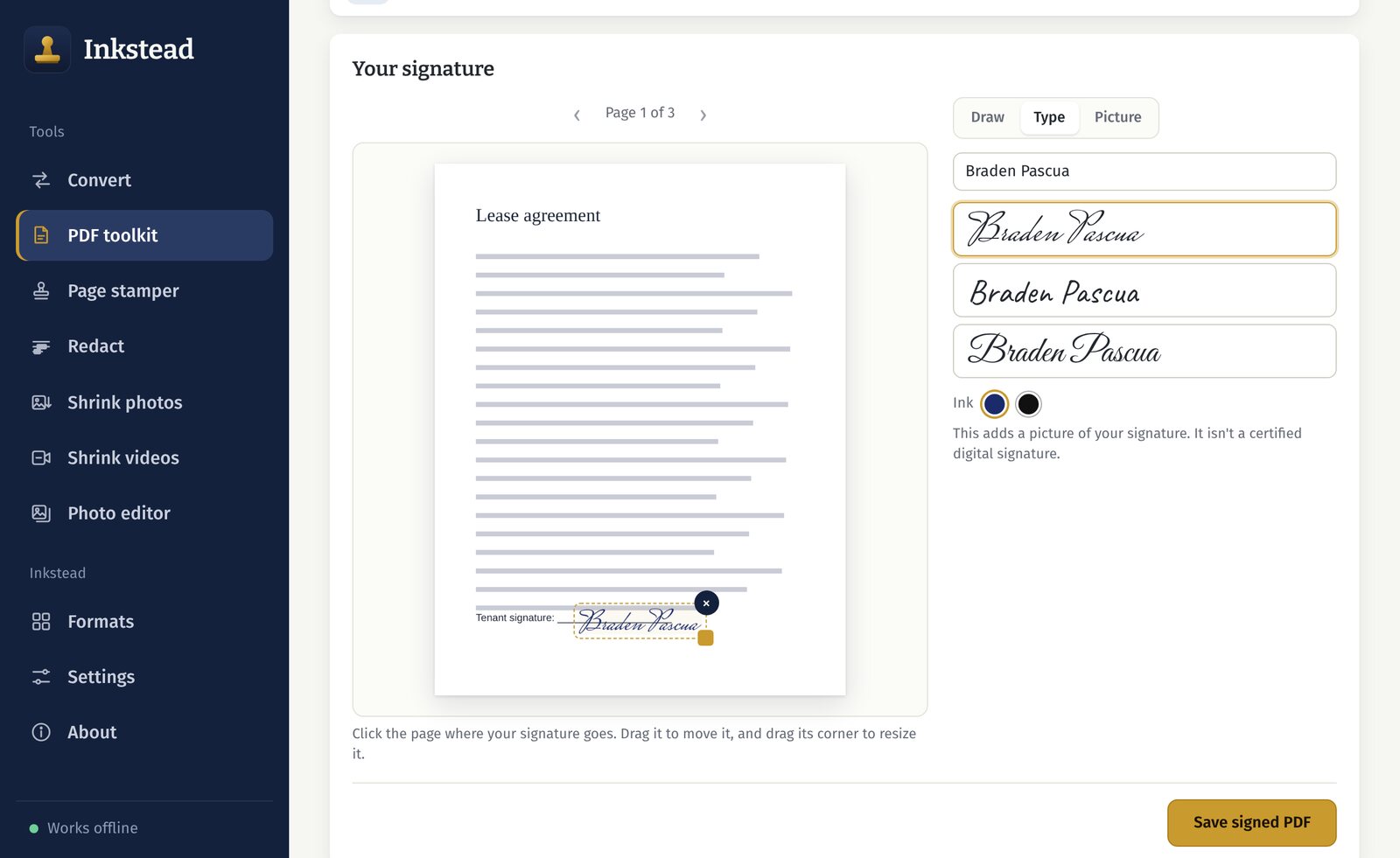
Draw your signature, type your name in one of three signature styles, or use a picture. Then click where it goes, and drag to move or resize it.
Black out what's private
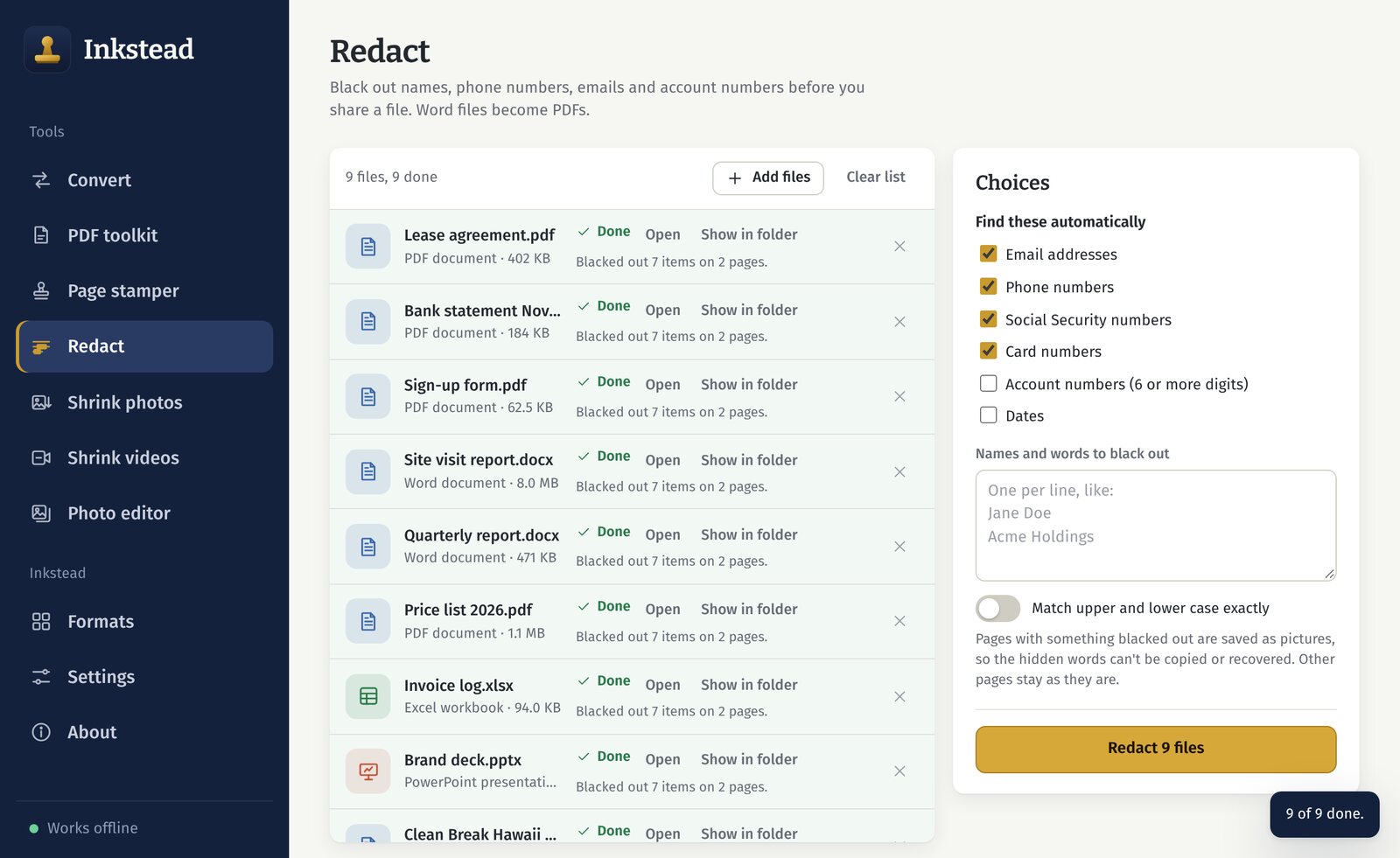
Tick what to find, add any names or words, and Inkstead blacks them out on every page.
- Emails, phone, Social Security, card and account numbers
- Blacked-out text can't be copied or recovered
- Works on a whole folder at once
Converting files
Three steps, and you're done.
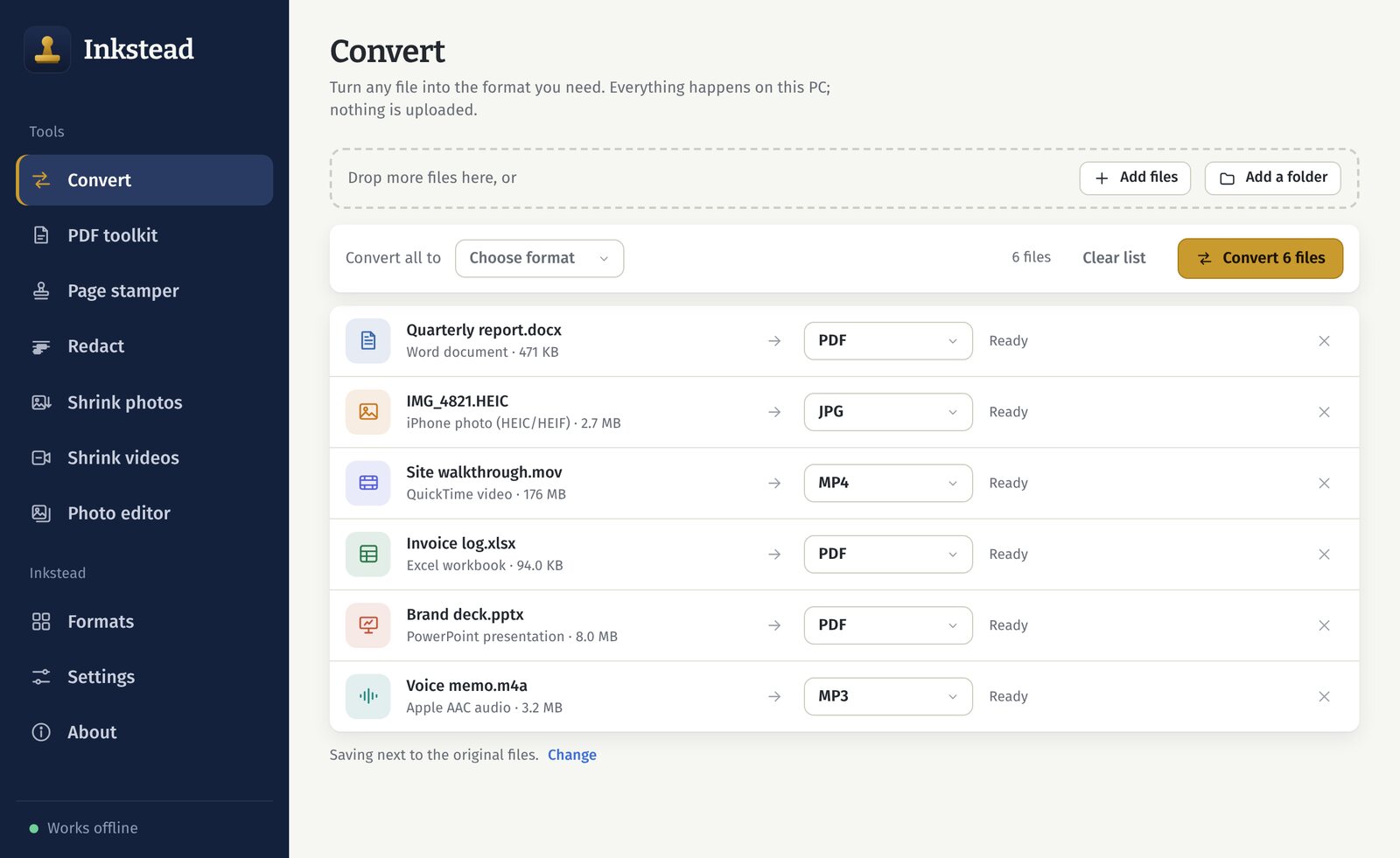
Add your files
Drag them into Inkstead, choose them, or right-click any file in File Explorer and pick “Convert with Inkstead”.
Pick a format
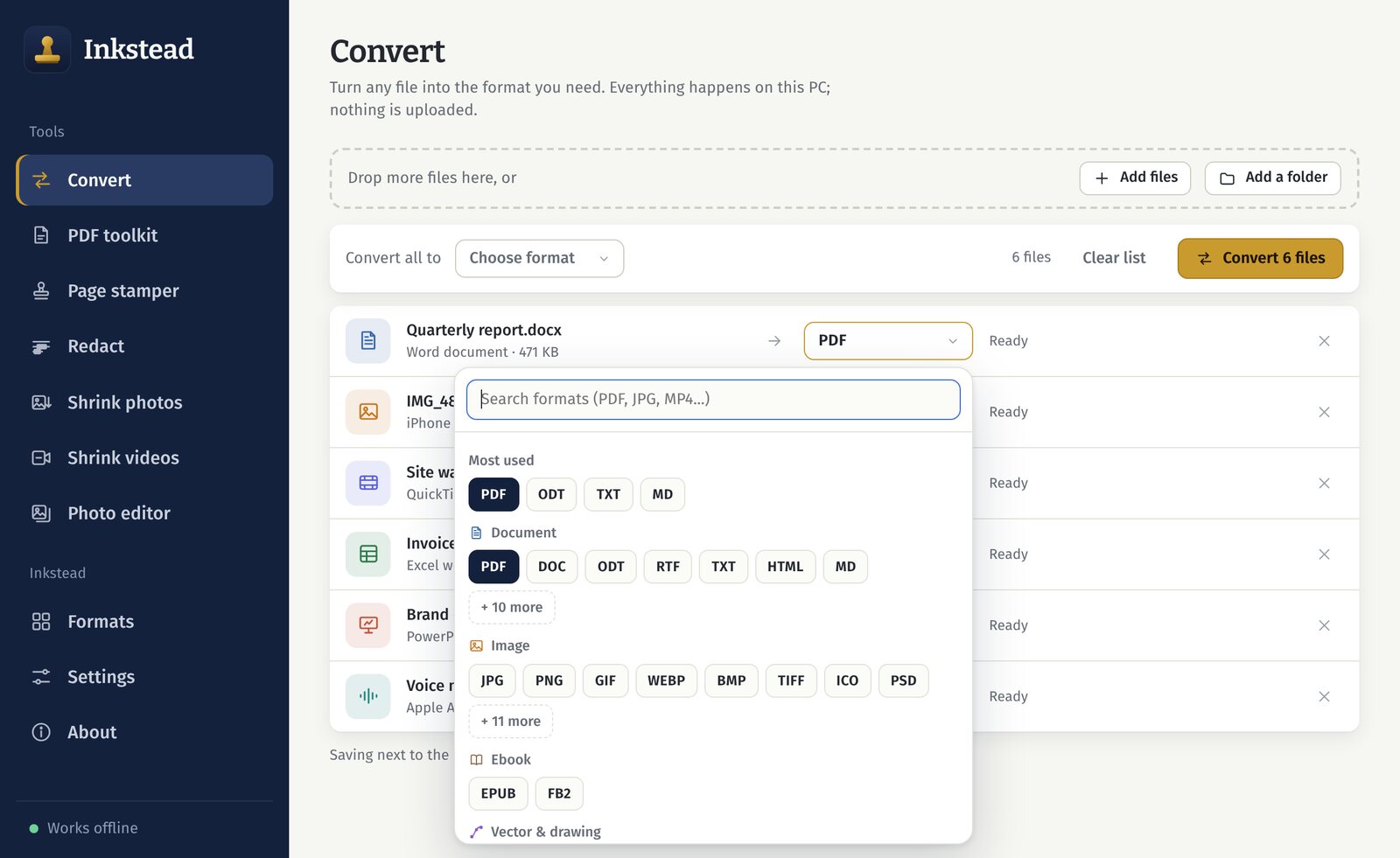
The most common choices come first, and you can search the rest. Pick one per file, or one for the whole batch.
Convert
Everything converts at once. New files are saved next to the originals, and nothing is ever overwritten.
Private by design
Your files stay on your PC.
Online converters and PDF sites make you upload your documents to someone else's server. Inkstead does the work on your own computer, even with no internet.
- No uploadsEverything happens on your PC. Your files never leave it.
- No accountInstall it and get to work. No sign-up, no email.
- No ads or trackingInkstead doesn't collect anything about you or how you use it.
Word, Excel and PowerPoint files use LibreOffice's free document engine. Inkstead sets it up for you with one click: a one-time download of about 380 MB, kept inside Inkstead. Nothing else gets installed, and if you already have LibreOffice, Inkstead simply uses it.
Made for real work
Simple on the outside. Thorough underneath.
Whole folders at once
Add a folder and convert or edit everything in it. Progress is shown file by file, and you can stop at any time.
Clear when something's wrong
If a file is damaged or password-protected, Inkstead says so in plain English, and tells you what to do.
Your originals are safe
Inkstead always makes new files. It never changes or replaces the file you started with.
Keeps itself up to date
When a new version is out, one click installs it. Every update is signed, so only real updates get installed.
Who makes Inkstead
Built by someone who needed it.

Braden Pascua
Founder of Inkstead | Entrepreneur
I'm an entrepreneur and business manager in Hawaii. I kept getting files in the wrong format for work, and I didn't want to upload my documents to random websites just to convert, sign or shrink them. So I built Inkstead: one simple app that does it all on your own PC.
Reach me directly
- bradenkp3@gmail.com
- Phone
- (808) 960-3541
Questions before you buy, a lost key, or moving to a new PC: I'll get back to you.
Pricing
One price. Every tool.
Try everything free for 14 days. If Inkstead earns a place on your PC, buy it once and keep it.
- Every tool and all 200+ formats
- One license key for up to 3 of your PCs
- Updates included, installed in one click
- 30-day refund if it's not for you
Or download the free trial first. Checkout is handled securely by Gumroad.